A business conference can generate far more content than most organisers realise.
The obvious priority is usually the stage: keynote speakers, presentations and panel discussions. But if you want the final video to feel complete, professional and useful after the event, the filming plan should include much more than the main programme.
A well-covered conference can produce highlight videos, speaker clips, social media content, interviews, testimonials and promotional material for future events.
Here are the key moments worth filming at a business conference in Dublin.

1. Keynote Speakers
Keynote presentations are usually one of the most valuable parts of a conference. If a speaker is sharing industry insight, research, strategy or a major announcement, that content can remain useful long after the event is over.
Depending on your goals, you may want:
- a full presentation recording,
- short edited speaker clips,
- key quotes for social media,
- a short highlight section from the presentation.
If the keynote is important, it is worth planning the camera and audio setup in advance. A static wide shot may technically record the presentation, but it will rarely look as strong as footage that also captures close-ups, audience reactions and presentation visuals.
2. Panel Discussions
Panel discussions often contain some of the strongest short-form content from a conference. They naturally create:
- opinions,
- useful quotes,
- disagreements,
- expert insights,
- predictions,
- strong soundbites.
This makes them particularly useful for LinkedIn and social media.
If you want to create multiple clips from one panel, the video team should know this before the event. It can affect camera positioning, audio recording and how the panel is framed.
3. Audience Reactions
Conference video is not only about the person speaking. Audience reactions help show that the event was engaging.
Useful shots can include:
- people listening,
- taking notes,
- laughing,
- applauding,
- asking questions,
- interacting with speakers.
These moments make highlight videos feel more alive. They also help communicate that the conference had real energy and participation.
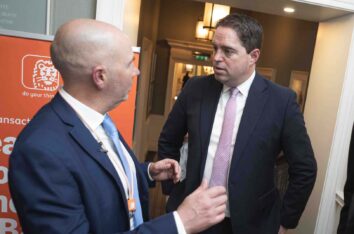
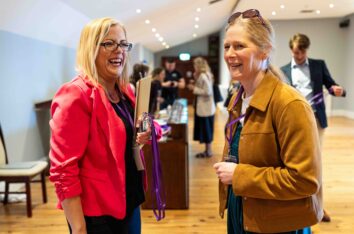
4. Networking
Networking is often one of the main reasons people attend a business event. It should be part of the visual story.
Film moments such as:
- people meeting,
- conversations,
- coffee breaks,
- introductions,
- handshakes,
- informal discussions.
These shots are particularly useful for future event promotion because they show the atmosphere rather than just the formal programme. For many attendees, this is what the event actually feels like.
5. Branding and Sponsors
Sponsors often expect visible coverage. That means the filming plan should include:
- event signage,
- sponsor logos,
- branded screens,
- exhibition stands,
- printed materials,
- stage branding,
- branded products.
This content can be important for reports, sponsor recaps and future partnership discussions.
If particular sponsors need guaranteed exposure, identify them before the event rather than hoping they appear naturally in the final edit.
6. Exhibitors and Stands
At larger business conferences, the exhibition area can be a major part of the event.
Useful footage can include:
- stand interactions,
- product demonstrations,
- exhibitors speaking to visitors,
- branded displays,
- close-ups of products or services.
If exhibitors are an important part of the conference, consider whether selected companies should also be interviewed. That creates additional content and helps give the event more voices.
7. Speaker Interviews
A short interview with a speaker can often be more useful for marketing than a long presentation recording.
Questions can be simple:
- What is the key message from your talk?
- What is changing in your industry?
- What should businesses pay attention to?
- Why is this conference important?
- What is the one thing you want attendees to remember?
A five-minute interview can later produce several short clips. That makes interviews one of the highest-value additions to conference video coverage.
8. Attendee Testimonials
Attendee testimonials add credibility. Instead of the organiser saying that the event was successful, real attendees explain the value in their own words.
Useful questions include:
- What did you find most valuable today?
- Why did you attend?
- What did you learn?
- Would you recommend the event?
- What was your favourite session?
These do not need to be long. Short, natural answers often work better than heavily scripted testimonials.
9. Behind-the-Scenes Moments
Behind-the-scenes footage can make conference content feel more human.
Examples include:
- registration preparation,
- speakers getting ready,
- technical setup,
- organisers coordinating the event,
- final checks before doors open.
This type of footage can work particularly well for social media and event recap content. It gives people a sense of what happens around the main programme.
10. Venue and Establishing Shots
The venue helps set the scene.
Useful establishing shots include:
- exterior shots,
- entrance,
- conference room,
- stage before guests arrive,
- seating,
- branded materials,
- AV setup.
These shots may seem simple, but they help the editor build a much stronger opening for the final video. They also give context to viewers who were not at the event.
11. Q&A Sessions
Audience questions can create excellent content. They often reveal the topics people care about most.
If Q&A is part of the programme, make sure the audio setup can capture both the speaker and the person asking the question. Poor audience audio can make otherwise valuable footage unusable.
12. Awards, Announcements and Milestones
Any one-off moment should be clearly identified in advance. This may include:
- awards,
- company announcements,
- product launches,
- partnership announcements,
- cheque presentations,
- milestone celebrations.
These moments cannot usually be recreated later. If they matter, they should be highlighted in the event brief.
13. Social Media Content
Conference filming should not only focus on the final highlight video. One event can generate multiple pieces of short-form content.
For example:
- speaker clips,
- short interview clips,
- vertical reels,
- behind-the-scenes videos,
- audience reaction clips,
- quote-based social posts.
If social media content is part of the plan, tell the video team before filming begins. This helps ensure enough footage is captured in suitable formats.
14. Full Session Recording vs Highlight Coverage
Not every session needs to be recorded in full. Some content is better suited to a complete recording, while other parts of the conference may only need highlight coverage.
Full recordings are useful for:
- keynote presentations,
- training sessions,
- educational content,
- internal company use.
Highlight coverage is often better for:
- networking,
- receptions,
- general atmosphere,
- exhibition areas,
- social content.
Choosing the right approach helps control production costs and keeps the final content focused.
Plan the Conference Content Before the Event
The strongest conference videos are usually planned before the cameras arrive.
A simple production brief should include:
- event schedule,
- priority speakers,
- important sessions,
- sponsor requirements,
- interview opportunities,
- social media requirements,
- delivery deadlines.
This allows the video team to focus on the moments that actually matter.
If you are organising a conference and need professional event videography in Dublin, our team can cover keynote speakers, panels, interviews, networking, highlight videos and social media content.
Further reading: conference video recording, social media event videos and how to plan a corporate event video.
Learn more about our Event Videography Dublin service and send us your event date, venue and schedule to discuss the right filming setup for your conference.